
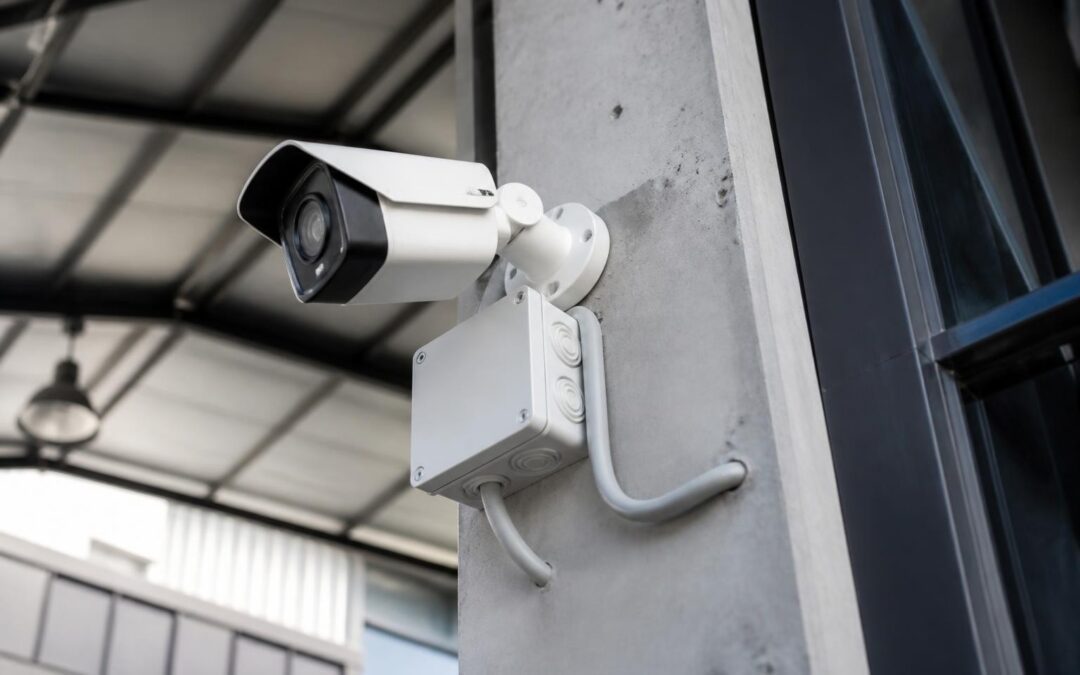
Deciding you need CCTV is the easy part. Actually getting a system installed properly, one that holds up to a Brisbane storm season, doesn’t corrode near the Gold Coast salt air, and doesn’t fall foul of your body corporate, is where most property owners get stuck. This guide walks through what actually happens between the phone call and the finished install, so you know what to expect and what to ask for.
Step 1: Site Assessment and Property Walkthrough
Every proper CCTV installation starts with someone walking your property, not a quote generated from an online form. A local installer will look at entry points, sightlines, existing wiring or conduit, where your internet connection lands, and where a recorder can sit safely and out of the weather. For a Brisbane townhouse this might take twenty minutes. For a Sunshine Coast acreage property or a Gold Coast high-rise with shared common areas, it’s a longer conversation about coverage priorities and where the budget goes first.
This is also when a good installer talks you out of overspending. Not every property needs eight cameras. Most homes get solid coverage from four to six positioned at the right choke points: driveway, front door, side access, and rear yard or pool area.
Step 2: Planning Camera Placement for Your Property Type
Camera placement in South East Queensland isn’t one-size-fits-all, because the housing stock here isn’t one-size-fits-all either.
High-set Queenslanders vs slab-on-ground homes
A classic high-set Queenslander gives you height for free, cameras under the eaves already look down over most approach angles. But the space underneath, often used for parking or storage, needs its own dedicated coverage since it’s usually the most exposed part of the block. Slab-on-ground homes, common in newer Brisbane and Gold Coast estates, need cameras mounted higher on brackets to get a useful angle and to keep them out of easy reach.
Units, townhouses and body corporate approval
If you’re in a unit, townhouse or apartment with shared walls, facades or common property, you generally can’t drill into external cladding or render without body corporate sign-off. A licensed installer will tell you upfront whether your planned camera positions sit on common property, and can supply the technical detail your committee needs (mounting method, cable runs, equipment specs) before they approve it. Sorting this before installation day avoids a wasted trip and a camera sitting in a box.
Step 3: Cabling vs Wireless, and Coastal Considerations
Wired systems remain the standard for anything more than a single camera, because they’re not competing with your Wi-Fi for bandwidth and they’re far harder to knock offline. Cable runs are planned during the site visit, usually through roof space, wall cavities or existing conduit, so you don’t end up with cable stapled along a fascia board.
Wireless or hybrid setups have their place, especially on rental properties, sheds, or additions where running cable isn’t practical, but they still need line-of-sight planning and a realistic conversation about range and interference.
Coastal salt air is a real factor for anything installed within a few kilometres of the water on the Gold Coast or Sunshine Coast. Cheaper camera housings corrode, connectors oxidise, and image quality drops within a year or two. This is why housing and connector rating matters as much as resolution, and it’s part of why properly specified gear carries manufacturer warranties anywhere from 15 years to lifetime, rather than the twelve months you’d get on a generic hardware-store kit.
Step 4: Permits, Standards and What’s Actually Required
Most residential and small commercial CCTV installs in Queensland don’t need a council permit, but the work itself needs to be carried out by someone holding a QLD Security Provider Licence (Class 1 for installation, Class 2 for monitoring), and the system needs to be built to Australian Standards for cabling, mounting and electrical safety. For larger commercial sites, high-rises or anything integrating with fire or building management systems, there can be additional approvals to work through, and your installer should be raising these before install day, not discovering them on the day.
Step 5: Installation Day, What a Licensed Technician Actually Does
On the day, expect the crew to:
- Confirm final camera positions against the plan from the site assessment, adjusting for anything that’s changed
- Run and terminate cabling through roof space, cavities or conduit, keeping runs protected from weather and UV where they’re exposed
- Mount cameras, recorder and any access control or intercom hardware being integrated into the same system
- Fit surge protection on the power and data lines feeding the system, which matters more in South East Queensland than most parts of the country given how often storm season brings lightning-related power spikes
- Connect the recorder to your network and, where you’ve opted for it, set up back-to-base or dual-path monitoring so the system still reports in if your internet drops out
For a straightforward home install this is usually a one-day job. Larger commercial fit-outs, warehouses or multi-building sites get staged over several days so the business or tenants aren’t disrupted.
Step 6: Commissioning, Testing and Storm-Season Proofing
A system isn’t finished when the cameras are mounted. Commissioning means walking every camera angle at different times of day (glare at sunrise or sunset over the water catches out a lot of poorly commissioned coastal systems), checking night vision performance, confirming motion zones aren’t triggering on passing traffic or swaying trees, and testing that recordings are actually being written and retained for the period you expect.
Given how much of the SEQ storm season runs from November through to April, this is also when surge protection and backup power get tested, not assumed. A camera system that goes dark the moment the power blinks during a storm isn’t doing its job when you need it most.
Step 7: Handover and Training
Before the crew leaves, you should get a proper walkthrough, not a link to a manual. That means being shown how to view live footage and playback on your phone, how to pull footage for police or insurance if you ever need it, who to call for monitoring alerts, and what the warranty actually covers. If cameras, access control, intercoms and alarms have been installed as one integrated system, this is also where you see how they talk to each other, for example a door sensor and camera triggering together, rather than running as separate apps that don’t share information.
What It Actually Costs
Every property is different, but if you want a realistic sense of numbers before you get a quote, our breakdown of CCTV installation cost in Brisbane, Gold Coast and Sunshine Coast covers what drives the price up or down, from camera count to cabling complexity to monitoring plans.
If you’re still deciding whether you need CCTV at all, it’s worth reading why CCTV installation is essential for property protection in South East Queensland before you get into the process detail above.
Dynamic Data & Security has been installing and servicing CCTV, access control and alarm systems across Brisbane, the Gold Coast and the Sunshine Coast for more than 20 years. Our CCTV and security camera installation team holds QLD Security Provider Licence Class 1 and Class 2, and every system we install is built to Australian Standards with manufacturer warranties from 15 years up to lifetime. Call 07 5453 7240 or email info@dyndata.com.au to book a site assessment.
Recent Comments