
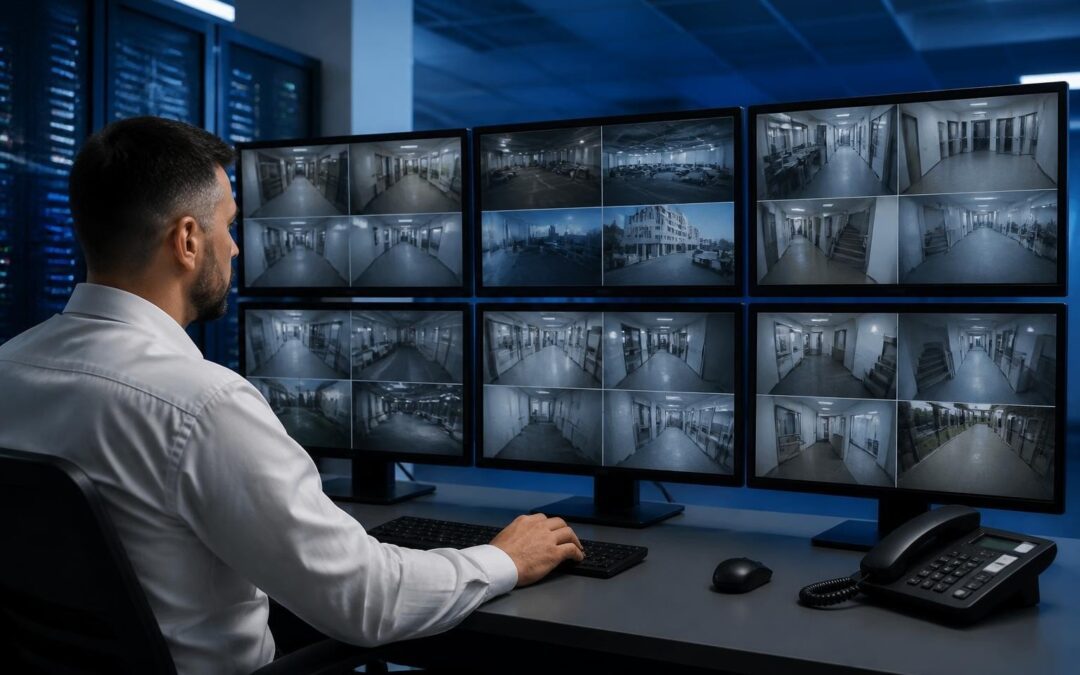
If you’re a business owner in Brisbane, on the Gold Coast or up on the Sunshine Coast and you’re looking at a new CCTV system, you’ll run into the term NVR pretty quickly. It stands for Network Video Recorder, and it’s the box that stores and manages the footage coming off your security cameras. Get this part of the system wrong and it doesn’t matter how good your cameras are, because you’ll end up with gaps in footage, drives that fail early, or a system you can’t actually view when you need to. This is what an NVR does, what to look for when you’re buying one, and the local conditions in South East Queensland that change what a decent setup actually looks like.
What an NVR actually does
An NVR is the recording and storage hub for an IP-based camera system. Each camera compresses and processes its own video and sends it over the network to the NVR, which writes it to hard drives, manages your retention schedule, and gives you a way to view live and recorded footage locally or remotely. This is different from the older DVR (Digital Video Recorder) setup, where analogue cameras send raw, unprocessed video down a coax cable to a recorder that does all the encoding itself.
NVR vs DVR, in practical terms
- Cabling: NVR systems typically run on standard network (Cat6) cabling, which is easier to extend across a warehouse, retail fitout or multi-storey building. DVR systems need dedicated coax runs for each camera.
- Image quality: NVR/IP cameras generally support higher resolutions, which matters when you need to zoom in on a number plate or a face after the fact, not just see that “someone was there”.
- Power: Most NVR camera systems run on Power over Ethernet (PoE), so a single cable carries both data and power. DVR cameras usually need separate power runs, which adds cost and points of failure.
- Scalability: Adding cameras to an NVR system down the track is generally simpler, since you’re working with a network, not a fixed set of coax inputs.
For most businesses we work with across South East Queensland, from retail units to warehouses to high-rise buildings, an NVR-based system is the sensible choice today. If you want the fuller picture on how a business camera system should be specified from the ground up, our complete guide to business security camera installation in South East Queensland covers the camera side in more depth.
Key factors when choosing an NVR
Channel count
Channel count is simply how many cameras the NVR can support. Buy for where the business is headed, not just where it is now. An 8-channel NVR might cover a small retail shop today, but if you’re planning to add coverage to a loading dock, a second entry, or a new site, you’ll want headroom built in from day one rather than paying for a full swap-out in two years.
Storage and retention period
How long you need to keep footage depends on your industry and, in some cases, insurance or lease requirements. A retail store might be comfortable with 14 to 30 days. A warehouse handling higher-value stock, or a site with a history of incidents, often wants 60 to 90 days or more. Storage needs scale with camera count, resolution and frame rate, so this should be worked out properly at the design stage, not guessed at. Undersizing storage is one of the most common mistakes we see in systems installed by non-specialists, and it’s usually only discovered when someone actually needs footage that’s already been overwritten.
PoE switch requirements
If your cameras run on PoE, your NVR (or a separate PoE switch) needs enough power budget to run every camera at once, with margin left over. This gets overlooked more than you’d think. A system that “mostly works” but drops a camera or two during peak load, or during a voltage dip, is usually a PoE budgeting problem, not a camera fault. For larger sites, a dedicated managed PoE switch, properly sized and with some spare capacity, is worth the extra cost.
Redundancy
A single hard drive with no backup is a single point of failure. For anything beyond a small shopfront, look at NVRs that support RAID configurations or dual drive bays, so a drive failure doesn’t mean you lose your entire recording history. For businesses where footage is genuinely critical, whether for insurance claims, disputes, or compliance, redundancy isn’t optional extra spend, it’s the difference between having evidence when you need it and not.
What South East Queensland conditions mean for your setup
A lot of NVR advice online is written for a generic climate and a reliable grid. South East Queensland has its own set of conditions that genuinely change what a well-specified system looks like.
Storm season power protection
Between roughly November and April, this region gets serious storm activity, and with it, power surges and outages. An NVR that loses power mid-write can corrupt footage, and a surge through unprotected mains wiring can take out the recorder entirely, along with connected cameras and switches. A proper install includes surge protection on the incoming power and, for sites where continuous recording matters, a UPS (uninterruptible power supply) sized to keep the NVR and PoE switch running through a short outage, or at least to shut the system down cleanly rather than losing it mid-write.
Coastal humidity and hard drive reliability
Coastal properties on the Gold Coast and Sunshine Coast, along with resort and high-rise buildings near the water, deal with humidity and salt air that standard consumer-grade hard drives aren’t built for. This shortens drive life and increases the risk of failure well before you’d expect it. Surveillance-rated hard drives are designed for continuous write cycles and handle these conditions better than off-the-shelf desktop drives, and where the NVR itself is housed in a garage, roof space or external cabinet, ventilation and placement matter more here than they would inland.
Remote viewing over patchy regional internet
If your business is on the Sunshine Coast hinterland or anywhere else where internet reliability is inconsistent, remote viewing needs to be planned for rather than assumed. A system that streams high-bitrate footage constantly to your phone will choke on a patchy connection. Sensible bitrate and stream settings, along with a sub-stream configured specifically for remote viewing, keep the system usable even when your connection isn’t great, rather than leaving you locked out of live footage exactly when you need it most.
Cloud backup vs local-only storage
Local-only storage keeps all your footage on-site, which is fine until the NVR itself is stolen, damaged in a storm, or physically fails. Cloud backup, even just for key events or a shorter retention window, protects against that scenario, but it depends on a stable enough connection to actually push footage offsite, which loops back to the same regional internet reality above. For most SEQ businesses, a hybrid approach, full local recording for the working retention period plus cloud backup of critical footage, gives the best balance of cost and protection.
Licensed installation and integration with your alarm system
An NVR system should never be specified in isolation. Under Queensland law, security camera and access control installation work needs to be carried out by a licensed provider (QLD Security Provider Licence Class 1 and Class 2 cover this work), and a system built to Australian Standards holds up better over time and under scrutiny if footage is ever needed for a legal or insurance matter.
Beyond the licensing requirement, the real value comes from integration. When your CCTV, alarm, access control and intercom systems are set up to talk to each other, an alarm trigger can automatically pull up the relevant camera feed, and access events can be cross-referenced against footage without you having to manually match timestamps across separate systems. This is where professional CCTV installation earns its cost over a DIY or budget setup, because the system is designed as one thing from the start, not a collection of parts that happen to be plugged in together.
For higher-spec commercial sites, particularly warehouses, high-rise buildings and larger retail operations, enterprise-grade platforms like Avigilon pair strong NVR performance with analytics and manufacturer warranties that run from 15 years through to lifetime coverage, which matters when you’re planning a system to last, not just to pass the next audit.
Getting it right the first time
An NVR is easy to treat as a commodity box, but the right channel count, storage sizing, PoE capacity, redundancy and, in this part of the country, proper storm and humidity protection, are what separate a system that just records from one you can actually rely on when something happens. We’ve been designing and installing CCTV and NVR systems for homes and businesses across Brisbane, the Gold Coast and the Sunshine Coast for more than 20 years, and we size every system to the site, not off a generic spec sheet. If you’re weighing up options, call us on 07 5453 7240 or email info@dyndata.com.au and we’ll talk through what actually makes sense for your business.
Recent Comments