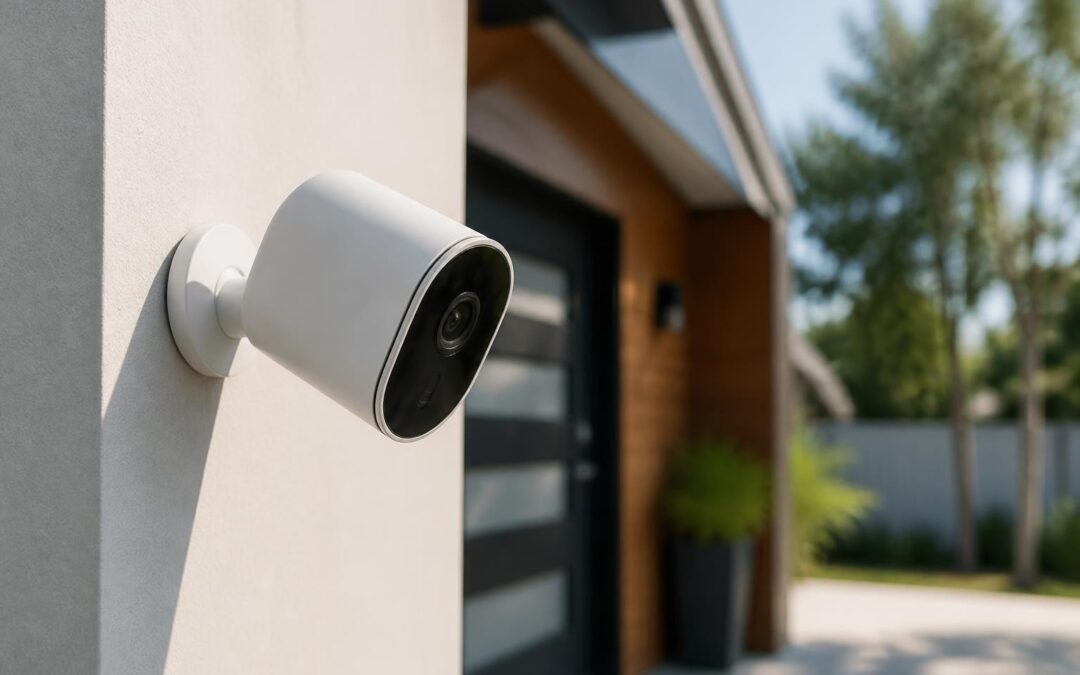
Home security technology has evolved dramatically over the past decade, with the smart camera for home becoming a cornerstone of modern residential protection. These connected devices offer far more than traditional CCTV systems, combining real-time monitoring, intelligent alerts, cloud storage, and mobile accessibility into compact, affordable packages. Yet with increased capability comes heightened complexity around privacy, network security, and practical deployment. Understanding how to select, configure, and maintain these systems requires careful consideration of both technical specifications and real-world usage scenarios.
Understanding Smart Camera Technology for Residential Use
A smart camera for home differs fundamentally from legacy surveillance equipment through its integration with internet connectivity and cloud-based services. Modern devices incorporate onboard processing for motion detection, facial recognition, and event classification, reducing false alerts while improving response times.
Core Components and Functionality
Contemporary residential smart cameras typically include several essential elements that work together to provide comprehensive monitoring:
- High-definition image sensors (1080p minimum, with 4K increasingly common)
- Infrared night vision for low-light or complete darkness
- Two-way audio enabling real-time communication
- Local and cloud storage options for footage retention
- Mobile application integration for remote access
- Motion and sound detection algorithms with customizable sensitivity
The processing architecture matters significantly. Edge computing allows cameras to analyze footage locally before transmitting data, reducing bandwidth requirements and improving privacy. Cloud-dependent models transmit raw video streams for remote processing, which raises different security considerations.
Network connectivity options have also diversified. While Wi-Fi remains dominant for consumer installations, professional-grade systems increasingly leverage Power over Ethernet (PoE) for reliability and simplified cabling. Hybrid approaches using dual-path communication ensure continuity even during network interruptions.

Privacy and Security Considerations
The convenience of always-on home surveillance brings substantial privacy implications that extend beyond your household. Research examining privacy policies has revealed significant gaps in how manufacturers address "bystander" privacy when cameras capture footage of visitors, delivery personnel, or passersby.
Vulnerability Assessment
Academic analysis of smart camera vulnerabilities identifies several critical threat vectors that homeowners must understand:
| Threat Category | Risk Level | Mitigation Strategy |
|---|---|---|
| Unauthorized access to video streams | High | Strong unique passwords, two-factor authentication |
| Man-in-the-middle interception | Medium | End-to-end encryption, VPN usage |
| Manufacturer data collection | Medium | Review privacy policies, local storage preference |
| Firmware vulnerabilities | High | Regular updates, reputable brands only |
| Credential stuffing attacks | High | Unique passwords per device, password manager |
Consumer awareness remains problematic. A 2025 NIST survey found that whilst users express privacy concerns about smart cameras, many fail to implement basic security measures like changing default passwords or enabling encryption.
Best Practices for Secure Deployment
Implementing a smart camera for home security requires methodical attention to configuration:
- Change all default credentials immediately upon installation
- Enable two-factor authentication on manufacturer accounts
- Create a separate network segment for IoT devices
- Disable unnecessary features such as remote access if not required
- Review and restrict data sharing settings in manufacturer portals
- Schedule regular firmware updates through automated processes
- Monitor access logs for unusual activity patterns
The choice between cloud and local storage significantly impacts privacy. Local storage (SD card or network video recorder) keeps footage within your physical control, whilst cloud services offer redundancy and remote access at the cost of third-party data custody.
Feature Comparison and Selection Criteria
Selecting the appropriate smart camera for home installation requires balancing technical specifications against practical requirements and budget constraints.
Resolution and Image Quality
Video resolution directly affects identification capability. A 1080p camera provides adequate detail for monitoring general activity, whilst 4K models enable clearer facial recognition and license plate identification at greater distances.
Field of view presents an important tradeoff. Wide-angle lenses (130° or more) cover larger areas but reduce detail in any specific zone. Narrower fields (90-110°) provide better identification but require more cameras for comprehensive coverage.
Low-light performance varies substantially between models. True infrared capability using dedicated IR LEDs outperforms digital enhancement, providing clear monochrome footage in complete darkness up to 30 metres in professional-grade units.
Smart Detection and Alerts
Modern algorithms distinguish between motion types, reducing nuisance alerts from pets, shadows, or vegetation movement. Advanced systems offer:
- Person detection using shape recognition
- Vehicle identification for driveway monitoring
- Package detection to alert when deliveries arrive
- Audio classification recognizing glass breakage or smoke alarms
- Activity zones to monitor specific areas whilst ignoring others
The accuracy of these features depends heavily on processing power and algorithm sophistication. Budget models often generate excessive false positives, whilst professional-grade cameras achieve 95%+ accuracy in optimal conditions.

Installation and Network Integration
Professional installation ensures optimal camera placement, secure mounting, and reliable network connectivity. DIY approaches work for simple single-camera deployments but become complex with multi-camera systems requiring coordinated coverage.
Placement Strategy
Strategic positioning maximizes coverage whilst minimizing blind spots:
- Entry points (front door, rear door, garage) at 2-2.5 metres height
- Driveways and pathways angled downward to capture faces
- Property perimeters overlapping coverage zones
- Indoor common areas avoiding bedrooms and bathrooms
- High-value storage such as safes or equipment rooms
Weather resistance matters for external installations. Look for IP66 or IP67 ratings guaranteeing protection against dust and heavy rain. Temperature ranges should suit your climate, particularly for extreme heat or freezing conditions.
Network Requirements and Bandwidth
Each camera consumes bandwidth continuously during recording. A 1080p camera streaming at standard quality uses approximately 2-4 Mbps upload speed. For a four-camera system, this translates to 8-16 Mbps sustained upload capacity.
Network stability affects reliability more than raw speed. Ethernet connections provide consistent performance, whilst Wi-Fi introduces variables like interference, distance from router, and competing device traffic.
Many modern systems integrate with existing security infrastructure. For comprehensive protection, commercial-grade CCTV security camera installation combines smart cameras with traditional surveillance, creating layered defense that leverages both cutting-edge analytics and proven reliability. Professional installers design these hybrid systems to complement alarm sensors and access control, ensuring every entry event triggers coordinated recording.

Integration with Smart Home Ecosystems
A smart camera for home rarely operates in isolation. Modern residential security benefits from integration across multiple platforms and devices.
Platform Compatibility
Major ecosystems offer varying levels of camera integration:
| Platform | Strengths | Limitations |
|---|---|---|
| Google Home | Voice control, Nest integration, display streaming | Limited third-party camera support |
| Amazon Alexa | Broad device compatibility, Echo Show display | Variable feature support across brands |
| Apple HomeKit | Strong privacy focus, end-to-end encryption | Smaller device selection, higher prices |
| Home Assistant | Complete local control, extensive compatibility | Requires technical setup knowledge |
Native integration enables automation scenarios such as turning on lights when motion is detected, or disabling cameras automatically when family members arrive home.
Automation and Response Workflows
Sophisticated users create multi-step responses to camera events:
- Motion detected at front door triggers porch light activation
- Person identified sends notification to mobile devices
- Unknown person after 10pm activates audible alarm
- Package detected logs delivery time and sends confirmation
- No motion for 48 hours alerts to potential system failure
These workflows require careful tuning to avoid false activations whilst maintaining genuine security benefits.
Power and Connectivity Options
Infrastructure requirements vary significantly between camera types, affecting installation complexity and long-term reliability.
Wired Versus Wireless Architecture
Traditional wired cameras using PoE deliver superior reliability and eliminate battery concerns. A single Ethernet cable provides both power and data transmission, supporting 4K video without bandwidth limitations. Installation requires cable routing through walls or conduits, making it more complex but permanently robust.
Battery-powered wireless cameras offer installation flexibility and work well for rental properties or temporary monitoring. However, battery life varies from weeks to months depending on activity levels, and video quality often reduces to conserve power.
Solar-supplemented models extend battery life significantly in well-lit locations. Research into low-power surveillance systems demonstrates that innovative connectivity approaches can reduce energy consumption whilst maintaining effective monitoring ranges.
Hybrid systems balance both approaches, using wired cameras for critical zones with high activity and wireless units for secondary locations or seasonal monitoring needs.
Manufacturer Approaches and Regional Differences
Analysis of smart home product development practices reveals significant variation in how manufacturers worldwide approach privacy and security features. Cultural and regulatory contexts shape product design, affecting everything from default settings to data retention policies.
Brand Selection Criteria
When evaluating manufacturers, prioritize those demonstrating:
- Transparent privacy policies clearly stating data collection and usage
- Regular security updates with documented patch history
- Local support and service for technical assistance
- Industry certifications validating security standards
- Interoperability standards supporting open protocols
Established commercial brands like HikVision offer proven reliability and extensive integration options, whilst consumer-focused manufacturers emphasize ease of use and competitive pricing. The optimal choice depends on technical requirements, integration needs, and risk tolerance.
Maintenance and Ongoing Management
A smart camera for home requires active management to maintain security and functionality over time.
Routine Maintenance Schedule
Implement a systematic approach to system upkeep:
- Weekly: Review recent footage for system functionality
- Monthly: Clean camera lenses and check mounting security
- Quarterly: Update firmware and review storage capacity
- Annually: Reassess coverage needs and adjust camera positions
Storage management becomes critical for systems retaining footage locally. Establish retention policies balancing legal requirements, storage capacity, and practical review needs. Many jurisdictions recommend 30-day retention for commercial premises, whilst residential systems often suffice with 7-14 days.
Security Auditing
Systematic reviews of smart home vulnerabilities emphasize that defensive strategies must evolve alongside threat landscapes. Regular security audits should assess:
- Password strength across all connected accounts
- Firmware version currency and available updates
- Network segmentation effectiveness
- Access log review for unauthorized attempts
- Third-party application permissions and data sharing
Professional security assessments identify vulnerabilities that casual users might overlook, particularly in complex multi-camera installations integrated with broader building management systems.
Commercial Applications and Scalability
Whilst residential deployments dominate consumer discussions, businesses increasingly deploy smart camera systems for retail analytics, workplace safety, and asset protection.
Enterprise Features
Commercial smart camera installations require capabilities beyond residential needs:
- Centralized management controlling hundreds of cameras from single interfaces
- Role-based access restricting footage viewing by department or position
- Retention policies meeting legal and insurance requirements
- Integration APIs connecting with point-of-sale, access control, and alarm systems
- Redundant storage ensuring footage preservation during system failures
Scalability matters significantly for growing businesses. Systems should accommodate additional cameras, increased storage, and enhanced analytics without requiring complete replacement of existing infrastructure.
Legal and Ethical Considerations
Operating a smart camera for home involves legal obligations varying by jurisdiction but generally covering notice, consent, and data protection.
Australian Privacy Requirements
Under Australian privacy legislation, residential camera operators must:
- Avoid capturing footage beyond their property boundaries where possible
- Provide clear signage when cameras monitor shared spaces
- Respond to access requests from individuals appearing in footage
- Secure recordings against unauthorized access or disclosure
- Delete footage when retention purposes expire
Workplace surveillance carries additional requirements including employee notification, legitimate business purposes, and restrictions on monitoring private areas like bathrooms or change rooms.
Balancing security objectives with privacy rights requires thoughtful camera placement that maximizes property protection whilst minimizing intrusion into neighboring properties or public spaces.
Smart camera technology continues advancing rapidly, offering unprecedented security capabilities alongside growing privacy and security challenges. Selecting the right system requires careful evaluation of technical specifications, privacy implications, and integration requirements matched to your specific property and risk profile. Whether protecting a family home or securing commercial premises, professional installation ensures optimal placement, secure configuration, and reliable long-term operation. Dynamic Data & Security brings over 20 years of experience designing camera systems across South East Queensland, combining trusted brands with expert knowledge to build solutions that scale with your evolving needs.

Recent Comments