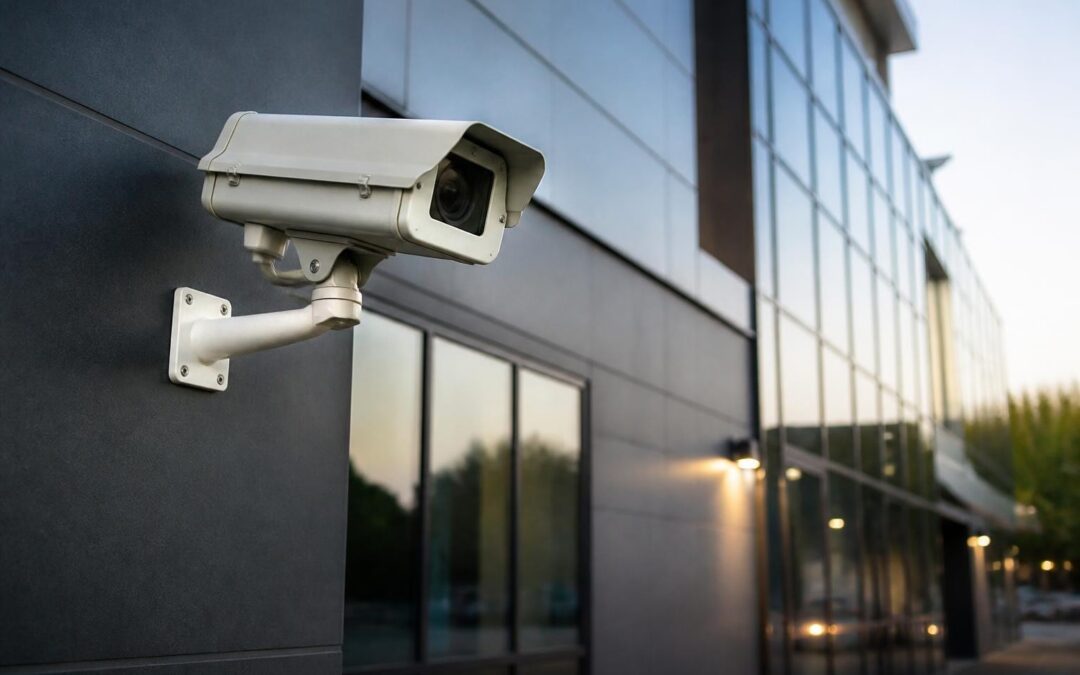
Protecting your business premises requires more than just locking doors at closing time. An outdoor security camera system serves as your first line of defence, capturing critical evidence, deterring criminal activity and providing real-time visibility across your property. Whether you're securing a retail shopfront on the Gold Coast, a warehouse in Brisbane or an industrial facility on the Sunshine Coast, the right camera system combines robust hardware, intelligent software and professional installation to deliver reliable surveillance regardless of weather conditions or lighting. This guide walks through the essential considerations for selecting, installing and maintaining an outdoor security camera system that meets your operational needs and compliance requirements.
Understanding IP Ratings and Environmental Protection
The harsh Australian climate demands outdoor cameras built to withstand extreme conditions. Ingress Protection (IP) ratings define how well a camera resists dust and water intrusion, with IP66 and IP67 being standard for quality outdoor installations.
An IP66-rated camera handles powerful water jets from any direction, making it suitable for wash-down areas or locations exposed to driving rain. IP67 models can survive temporary immersion up to one metre, ideal for flood-prone zones or areas subject to pooling water. For coastal installations where salt spray accelerates corrosion, look for cameras with additional protective coatings and stainless steel housing components.
Temperature Range and Operating Conditions
Queensland's temperature swings, from frigid winter mornings to scorching summer afternoons, test camera electronics and mechanical components. Quality outdoor cameras specify operating ranges from -30°C to +60°C, ensuring reliable performance year-round.
- Internal heaters prevent condensation and maintain functionality in cold conditions
- Thermal management systems dissipate heat during peak summer temperatures
- Sunshields protect lens assemblies from direct solar exposure and glare
- Vandal-resistant housings (IK10 impact rating) withstand physical attacks
The water and dust resistance standards provide detailed technical specifications that help installers select appropriate enclosures for specific environmental challenges. For industrial sites with heavy machinery or high-traffic areas, combining weatherproofing with impact resistance ensures cameras survive both environmental and human threats.

Camera Types and Their Specific Applications
Selecting the right camera technology depends on coverage requirements, identification distances and integration needs. Each camera type offers distinct advantages for particular security scenarios.
| Camera Type | Best Use Case | Typical Range | Key Features |
|---|---|---|---|
| Bullet | Perimeter monitoring, long corridors | 20-40m | Directional, integrated IR, weatherproof |
| Dome | Entrances, retail areas, discrete monitoring | 10-25m | 360° adjustment, vandal-proof, aesthetic |
| PTZ | Large areas, active tracking | 50-150m | Pan/tilt/zoom, auto-tracking, presets |
| Turret | General purpose, close-range detail | 10-30m | Easy adjustment, no IR reflection |
| Multi-sensor | Car parks, intersections, wide areas | 15-35m per sensor | 180-360° coverage, single cable |
Bullet cameras excel at focused monitoring of specific zones like loading docks, driveways or fence lines. Their visible presence acts as a deterrent, whilst integrated infrared illuminators provide night vision up to 40 metres. Mounting them under eaves or soffits protects cable connections and simplifies installation.
PTZ (Pan-Tilt-Zoom) cameras deliver flexibility for large open areas where one camera needs to cover multiple zones. Modern PTZ models include auto-tracking that follows detected motion, returning to preset patrol patterns when activity ceases. These work particularly well for construction sites, car parks and retail centres requiring active surveillance.
Matching Resolution to Identification Requirements
The updated IEC 62676-4 standard for pixel density establishes clear guidelines for camera resolution based on required identification detail. For general detection (confirming human presence), 25 pixels per metre suffices. Facial recognition demands 125 pixels per metre, whilst licence plate capture requires 250 pixels per metre or higher.
A 4MP camera monitoring a 4-metre-wide doorway from 8 metres delivers roughly 100 pixels per metre, adequate for recognising familiar individuals but marginal for identifying strangers. Stepping up to 8MP doubles that density, ensuring clear facial detail even when subjects move quickly through the frame. Don't underestimate resolution requirements; upgrading cameras later costs more than specifying appropriate models initially.
Network Architecture and Bandwidth Considerations
Modern outdoor security camera systems operate over IP networks, requiring careful planning around bandwidth, storage and network security. A single 4K camera recording at 25 frames per second consumes 8-12 Mbps using H.265 compression, meaning a 16-camera system demands 130-190 Mbps of sustained bandwidth.
Structured Cabling and Power Delivery
Power over Ethernet (PoE) simplifies installations by delivering both data and power through a single CAT6 cable. PoE+ (802.3at) supplies up to 25.5 watts per port, sufficient for most cameras with IR illuminators. High-power PTZ models may require PoE++ (802.3bt) delivering up to 71 watts.
Cable runs over 90 metres need network switches or PoE extenders to maintain signal integrity and power delivery. For larger properties, fibre optic backbone connections between buildings eliminate distance limitations whilst providing immunity to electrical interference and lightning strikes. Converting fibre to copper at endpoint switches simplifies final camera connections.
Network segmentation isolates camera traffic from general business operations, preventing bandwidth congestion and improving security. Dedicated VLANs for surveillance equipment also simplify firewall rule management and reduce attack surfaces for potential cyber threats.

Integration Standards and Interoperability
Proprietary camera systems lock you into single-vendor ecosystems, limiting future expansion and creating vendor dependency. Open standards ensure cameras, recorders and management software from different manufacturers work together seamlessly.
ONVIF (Open Network Video Interface Forum) establishes communication protocols between IP-based security devices. Profile T, which replaces the older Profile S, provides enhanced security features including TLS encryption and improved authentication. When specifying cameras, confirm Profile T compliance to ensure long-term compatibility and security.
The recent Matter 1.5 standard extends to cameras, bringing consumer-grade smart home integration to security systems. Whilst primarily targeting residential applications initially, Matter's focus on local processing, privacy zones and standardised event triggers influences commercial system design, particularly for small businesses seeking simplified management.
Recorder Selection and Storage Calculations
Network Video Recorders (NVRs) centralise recording, playback and camera management. Enterprise-grade NVRs support 32-64 cameras, hot-swappable drive bays and redundant power supplies for mission-critical applications. Smaller businesses often start with 8-16 channel units, expandable as needs grow.
Storage capacity depends on camera count, resolution, frame rate and retention period. Calculate using this formula:
Storage (TB) = (Bitrate in Mbps ÷ 8) × 3,600 × 24 × Days × Cameras ÷ 1,000,000
For example, sixteen 4MP cameras at 6 Mbps each, recording 24/7 for 30 days requires approximately 19.4 TB. Adding 20% overhead for index files and system operations brings total storage to 23 TB, typically implemented as four 6TB drives in a RAID configuration for redundancy.
Installation Standards and Professional Requirements
Licensed installation ensures your outdoor security camera system meets Australian Standards and building codes. Proper mounting, cable management and electrical integration prevent system failures and maintain warranty coverage.
The UK government’s recommended standards for surveillance cameras provide comprehensive guidance applicable internationally, covering installation practices, control room operations and system maintenance. Similarly, the U.S. Department of Homeland Security’s video security handbook offers detailed specifications for outdoor camera mounting, environmental protection and system design.
Site Survey and Coverage Planning
Professional installers conduct thorough site surveys identifying:
- Critical monitoring zones: Entrances, exits, cash handling areas, high-value storage
- Coverage gaps: Blind spots created by building geometry, landscaping or lighting
- Mounting locations: Balancing optimal view angles with cable access and power availability
- Lighting conditions: Areas requiring IR illumination, WDR cameras or supplemental lighting
- Environmental challenges: Salt spray exposure, extreme temperatures, vibration sources
Drawing sightlines on site plans reveals coverage overlaps and gaps before any equipment arrives. Software tools model pixel density at various distances, confirming camera specifications meet identification requirements. This planning phase typically adds 4-8 hours to project timelines but prevents costly repositioning after installation.
| Installation Phase | Typical Duration | Key Activities |
|---|---|---|
| Site survey | 2-4 hours | Coverage planning, mounting assessment, cable routing |
| Cable installation | 1-2 days | Conduit runs, cable pulling, termination, testing |
| Camera mounting | 4-6 hours | Bracket installation, camera positioning, weathersealing |
| System commissioning | 2-4 hours | Network configuration, recording setup, view optimisation |
| Client training | 1-2 hours | Playback operation, mobile access, maintenance procedures |
When you're ready to move beyond DIY systems or unreliable equipment, CCTV Security Camera Installation services provide the expertise, licensing and ongoing support that keeps your outdoor security camera system functioning reliably for years.

Advanced Features and Analytics
Modern cameras process video at the edge, running analytics algorithms locally rather than burdening central servers. This distributed intelligence enables real-time alerting whilst reducing network bandwidth and storage requirements.
Line crossing detection triggers alerts when subjects cross virtual boundaries, ideal for after-hours perimeter monitoring. Intrusion zones define areas that should remain clear, alerting when objects or people enter restricted spaces. Loitering detection identifies individuals remaining in specific zones beyond set durations, useful for anti-theft monitoring and safety compliance.
Artificial Intelligence and Object Classification
AI-powered cameras distinguish humans from vehicles, animals and wind-blown debris, dramatically reducing false alarms. Advanced models classify vehicle types, read licence plates and even identify specific makes and models. Face recognition compares detected faces against watchlists, alerting security staff to persons of interest whilst respecting privacy regulations.
Heat mapping aggregates movement patterns over time, revealing customer flow in retail environments, bottlenecks in production facilities or underutilised areas in commercial properties. This business intelligence extends security system value beyond pure loss prevention.
Smart IR technology adjusts infrared intensity based on subject distance, preventing the common issue of nearby objects appearing as washed-out white blobs whilst distant areas remain dark. Wide Dynamic Range (WDR) processing balances extreme lighting contrasts, capturing detail in both shadowed areas and bright sunlit zones simultaneously.

Cybersecurity and Access Control
Network-connected cameras represent potential entry points for cyber attacks if not properly secured. Implementing robust cybersecurity practices protects both your surveillance system and broader business network.
Essential Security Measures
- Change default credentials immediately: Never operate cameras with factory usernames and passwords
- Enable HTTPS encryption: Protect video streams and login credentials during transmission
- Disable unused services: Turn off UPnP, RTSP and other protocols not required for operation
- Implement network segmentation: Isolate camera VLANs from business networks using firewall rules
- Regular firmware updates: Apply manufacturer security patches promptly to address vulnerabilities
Role-based access control ensures staff view only cameras relevant to their responsibilities. Warehouse supervisors access loading dock cameras but not office areas, whilst reception staff monitor entries without viewing production zones. Audit logs track every login, playback request and configuration change, creating accountability and supporting forensic investigations.
Two-factor authentication adds critical protection for remote access, requiring both password and time-based code generation. Certificate-based authentication provides even stronger security for administrative access, particularly important when integrating cameras with broader enterprise security infrastructure.
Maintenance Schedules and System Longevity
Regular maintenance extends outdoor security camera system lifespan and ensures reliable operation when you need it most. Quarterly inspections identify developing issues before they cause system failures.
Preventive Maintenance Checklist
Quarterly tasks include lens cleaning (removing dust, spider webs, water spots), cable connection inspection for corrosion, mounting bracket tightening and IR illuminator testing. Coastal installations benefit from monthly lens cleaning due to salt accumulation, whilst industrial environments with heavy dust may require bi-weekly attention.
Annual maintenance involves firmware updates across all cameras and recorders, storage drive health checks using SMART monitoring tools, cable testing for degraded conductors and complete system backup including configuration files and retention policies. Document maintenance activities in a log book, noting any deterioration patterns or recurring issues requiring attention.
Camera housings collect internal condensation when temperature differentials exceed desiccant capacity. Replacing desiccant packs every 12-18 months prevents moisture damage to electronics and maintains clear optics. Check drain holes remain clear, as blocked drainage traps water inside housings leading to accelerated failure.
Compliance Considerations and Privacy Requirements
Installing an outdoor security camera system carries legal obligations around signage, data retention and privacy protection. Australian businesses must balance security needs with privacy legislation requirements.
Display clear signage notifying visitors and staff that CCTV monitoring operates on premises. Signs should identify the monitoring organisation and provide contact details for privacy inquiries. Position signage at all entry points before cameras capture individuals.
Limit camera views to areas where security requirements justify monitoring. Avoid capturing neighbouring properties, public footpaths beyond your boundary or areas where privacy expectations exist (bathrooms, change rooms, medical consultation spaces). Privacy masking features digitally obscure sensitive zones within camera fields of view whilst maintaining monitoring of surrounding areas.
Data retention periods vary by industry and purpose. General security monitoring typically justifies 30-day retention, whilst specific incidents may require extended preservation. Document your retention policy, ensure systems automatically delete footage after specified periods and implement secure deletion procedures for drives being disposed or repurposed.
Comparing System Approaches and Total Cost of Ownership
Selecting between cloud-based and on-premises recording impacts ongoing costs, data security and operational flexibility. Each approach suits different business models and risk tolerances.
| Factor | Cloud Recording | On-Premises NVR |
|---|---|---|
| Initial cost | Lower (camera only) | Higher (cameras + NVR + storage) |
| Monthly fees | $8-25 per camera | None after installation |
| Data security | Third-party custodian | Complete local control |
| Remote access | Built-in, easy setup | Requires configuration, static IP |
| Storage capacity | Typically 7-30 days | Configurable, 30-180+ days |
| Bandwidth requirements | Higher (continuous upload) | Lower (local recording) |
Cloud systems suit small businesses with limited IT resources, offering quick deployment and minimal maintenance. However, monthly subscription costs accumulate significantly over system lifespan. A 16-camera system at $15/camera/month costs $2,880 annually, totaling $14,400 over five years.
On-premises systems demand higher initial investment but eliminate ongoing subscription fees. A quality 16-channel NVR with 24TB storage costs $2,500-4,000, recovering costs in 15-20 months compared to cloud equivalents. Businesses with existing IT infrastructure and preference for data sovereignty typically choose on-premises solutions.
Hybrid approaches combine local recording with cloud backup for critical cameras, balancing cost efficiency with redundancy. Recent reviews of outdoor security cameras highlight the performance trade-offs between consumer-grade cloud cameras and professional on-premises systems, helping inform selection decisions.
Scalability and Future-Proofing Considerations
Business growth, regulatory changes and technology evolution demand flexible systems that scale without complete replacement. Planning for expansion during initial installation minimises future costs and disruption.
Specify recorders with unused channels, selecting 16-channel units when initially installing 12 cameras or 32-channel models for 24-camera deployments. The incremental cost proves minimal compared to replacing undersized equipment within two years. Similarly, install network infrastructure supporting higher camera counts than current requirements, pulling spare cables during initial construction when access remains simple.
PoE switch selection impacts expansion capacity. Managed switches with VLAN support, QoS traffic prioritisation and PoE+ across all ports provide flexibility as camera technology advances. Unmanaged switches save $200-400 initially but create bottlenecks requiring complete replacement during system expansion.
Camera mounting infrastructure should accommodate larger future models. Installing junction boxes with generous cable access and using adjustable mounts allows camera upgrades without modifying building penetrations or re-running cables. This forward planning proves particularly valuable for heritage buildings or complex facades where minimising penetrations reduces costs and maintains architectural integrity.
Software licensing models influence total ownership costs. Perpetual licences with annual maintenance fees provide cost certainty, whilst subscription licensing offers lower entry costs but indefinite ongoing expenses. Enterprise video management systems typically charge per camera channel, making license costs significant for larger deployments. Open-source VMS platforms like Shinobi or ZoneMinder eliminate licensing costs entirely but require greater technical expertise for configuration and maintenance.
Implementing a comprehensive outdoor security camera system requires balancing technical specifications, installation quality, cybersecurity practices and long-term maintenance planning to deliver reliable protection for your property and assets. Dynamic Data & Security brings over 20 years of experience designing and installing tailored surveillance solutions across Brisbane, the Gold Coast and Sunshine Coast, from single-camera installations to complete commercial fit-outs using trusted brands like HikVision. Our licensed installers and registered technicians ensure your system meets Australian Standards whilst scaling with your business growth. Contact us today for a free on-site assessment and discover how professional CCTV installation protects your investment.

Recent Comments